West Point Bridge Designer software download: where the truss bridge program stands today
A West Point Bridge Designer download in the old sense no longer exists: the classic Windows and Mac installers are gone, and the free truss bridge program now runs in a web browser.
West Point Bridge Designer software: what the program does
A West Point Bridge Designer download is what the old program called for, and it is gone: the classic installers no longer exist and a browser edition has taken over. The assignment itself has not changed. A student gets a site, a deck height and a choice of supports, and has to span the gap with steel members that survive a loaded truck. That is harder than it sounds, because the cheapest bridge that stands is rarely the first one anybody draws.
The program was first written in 1998 by Stephen Ressler, a civil engineering professor at West Point, and later rewritten in Java by Gene Ressler so that a single code base ran on both Windows and Macintosh computers. Students pick member sizes and materials in the West Point Bridge Designer software, connect joints into triangles and press the load test. A truck crosses, members change colour, and the score is cost. This bridge designer software was built for a national school contest, and the program outlived it.
The contest ended in 2016. The program did not stop being useful, and the classroom habit it taught is still the cleanest introduction to why bridges are built from triangles.
Download options for the West Point Bridge Designer today
The classic desktop editions from 2011 to 2016 are no longer distributed as installers, so there is no West Point Bridge Designer download to offer for them. What exists today comes in three forms.
| Option | Runs on | Install | Good for |
|---|---|---|---|
| Classic desktop editions, 2011 to 2016 | Windows, Mac (needs Java) | Setup file, gone | Nothing new; see the version history |
| ASCE Bridge Designer, Cloud Edition | Any current web browser | None | Cost-scored truss design with a simulated truck |
| Truss bridge designer on this site | Any current web browser | None | Seeing the force in every member, loading a truss to failure |
The first is the official successor of the program: the ASCE Bridge Designer, Cloud Edition is free for educational use, needs only a browser and a mouse-like pointer, and works well on a Chromebook. It has a fly-through view of the load test and support for 3D printing. It cannot open files from earlier versions, and it keeps your work in the browser’s local storage rather than on an account.
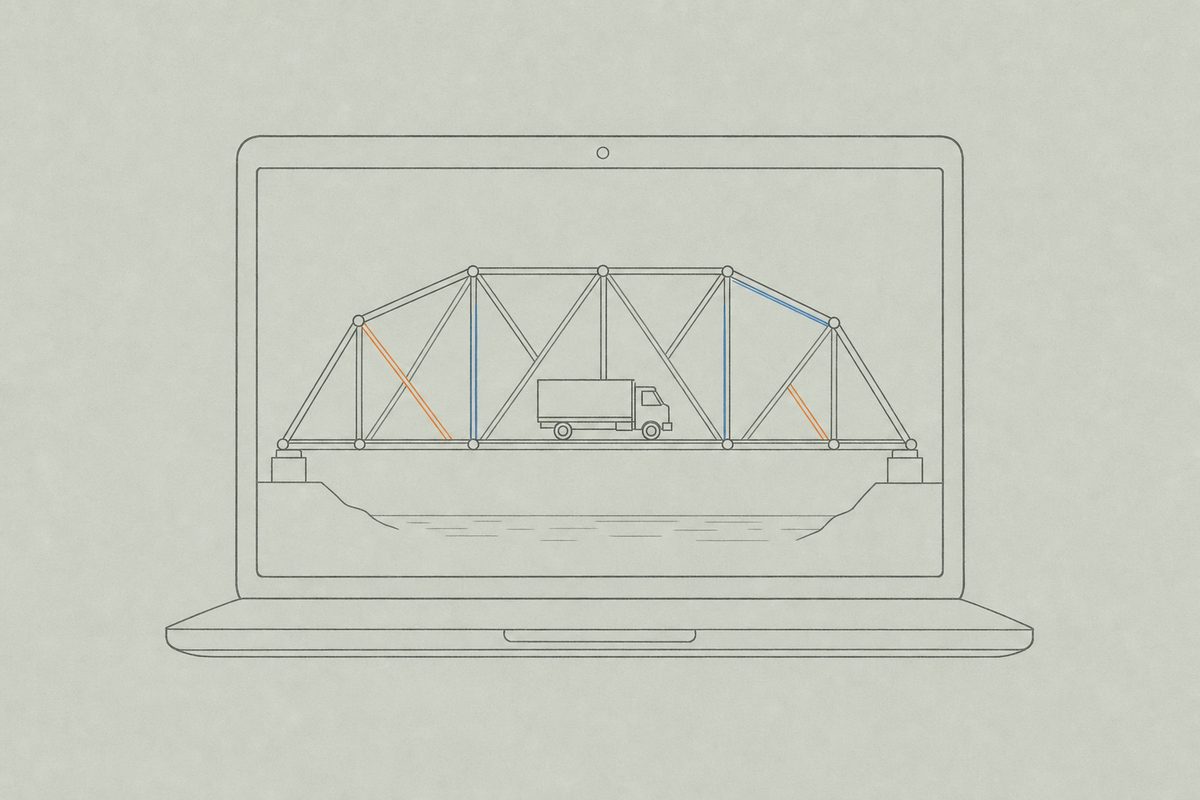
The second is built here for a narrower purpose. It does not price anything. It computes the axial force in every member of a truss you draw, colours tension warm and compression cool, and scales the load until the first member fails.
How the truss in the West Point Bridge Designer is tested
Every bridge in the program is a pin-jointed truss: straight members, joints that can turn freely, loads applied at the joints. Under that idealisation each member carries a single force along its length, either a pull or a push. A pull is tension. A push is compression.
The two failures are different in kind. A member in tension gives way when the steel yields, and a thicker section fixes it. A member in compression buckles, and buckling depends on length as much as on cross-section, which is why the long members in the bridge usually decide the result.
The full account is on the page about tension and compression in a truss, and the four common layouts, from Warren to K truss, are compared on truss bridge designs.
System requirements of the classic software editions
Every edition had a modest list of requirements. The early editions asked for Windows XP, Vista or Windows 7, in 32-bit or 64-bit form. The 2015 edition of the West Point Bridge Designer software needed Windows XP or newer and Mac OS X 10.7.3 (Lion) or later. The Mac builds relied on Java, and in 2012 Apple stopped supporting its own Java, which left Oracle’s Java as the only option on newer Macs and broke the advanced graphics used by the load-test fly-through on some machines. The program fell back to an older-style animation.
The load test also leans on the graphics card, much as a game does. A blank or frozen test window almost always pointed to outdated graphics drivers. The full set of sizes and requirements, edition by edition, is on the software versions page.
For a class that wants cost competition between students, the browser edition from ASCE is the closer match. For a class that wants to understand why a diagonal is thin and a top chord is thick, the designer on this site answers that directly, and a teacher can use both in the same unit. The teachers page shows one way to sequence them.
Questions5
Is the West Point Bridge Designer still available to download?
The classic desktop editions, 2011 to 2016, are gone. The program lives on as a free browser edition that needs no download at all, described above.
What replaced the West Point Bridge Designer software?
ASCE Bridge Designer, Cloud Edition is the current successor of the program. It runs in a web browser, is free for educational use and keeps the idea of designing a steel truss that has to survive a simulated truck.
Is there a West Point Bridge Designer download for Mac or Chromebook?
The classic Mac editions needed Java and an older version of macOS, and they are gone. The classic editions ran on Windows and Mac only. The browser edition runs on a Chromebook, a Mac or a Windows machine without installing anything.
Can files from an old edition be opened in the new one?
No. The browser edition cannot open files saved by earlier versions. A design from the 2015 desktop edition has to be redrawn member by member, which is a decent exercise in its own right.
What does the truss designer on this site do that the classic program did not?
The truss bridge designer shows the force in every member and loads a design until the first one fails. It does not price a bridge or run a truck across it.
Next sheets5
- Software versions 2011 to 2016 install sizes, requirements and the Java problem on Macs
- Truss bridge designer draw a truss and load it to failure
- Tension and compression what the colours in a load test mean
- Truss bridge designs Warren, Pratt, Howe and K layouts compared
- Teaching bridge design classroom use of the tools