Bridge design for students: truss software, lessons and a designer that loads a truss until a member fails
Draw a truss, load it and see which member gives way first. This free bridge design software runs in the browser: a truss designer, plain lessons on tension and compression, and model-bridge builds for the classroom.
| Member | Length, m | Force, kN | State | Share of largest force |
|---|---|---|---|---|
| G–H | 3.00 | 20.0 | Compression | |
| C–D | 3.00 | 15.0 | Tension | |
| B–C | 3.00 | 15.0 | Tension | |
| G–C | 3.35 | 11.2 | Tension | |
| D–I | 3.35 | 11.2 | Tension | |
| I–E | 3.35 | 11.2 | Compression |
Test 01 · Truss bridge design4 layouts
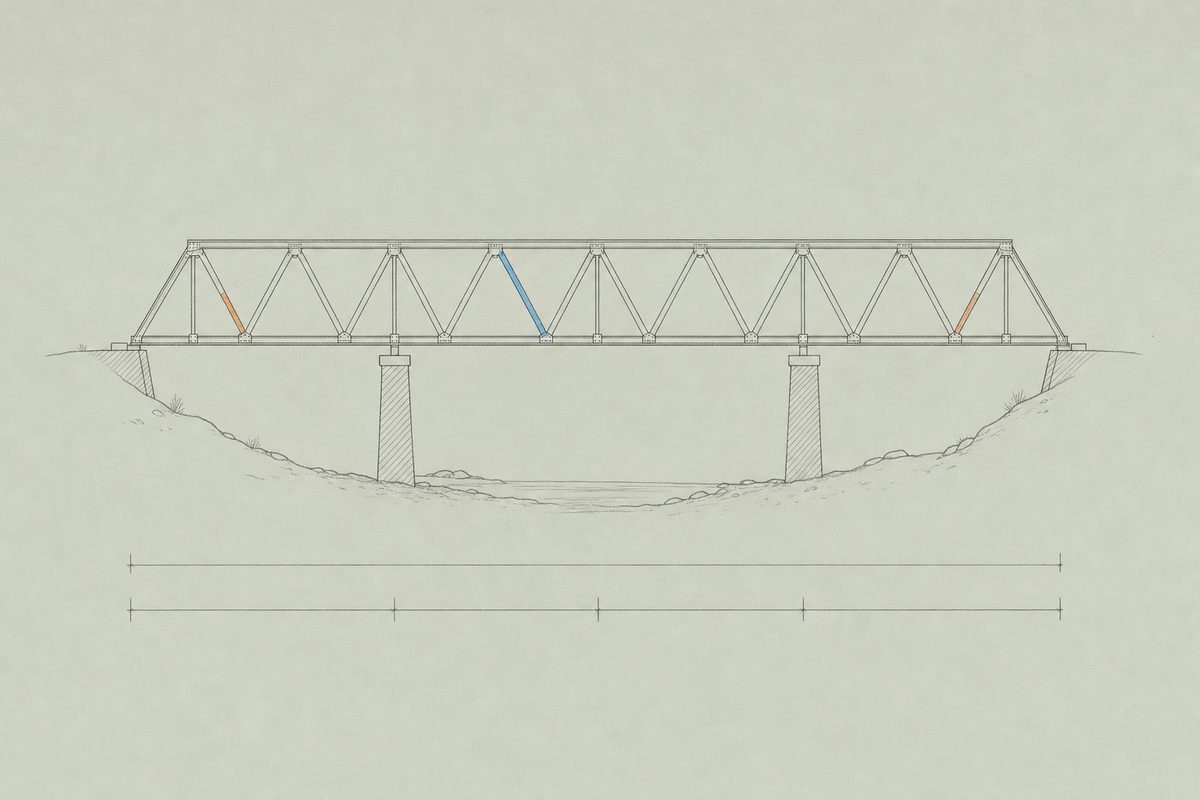
A bridge that spans 12 m and carries 20 kN will use members that either pull or push, and the whole craft of truss bridge design is deciding which members do which. Four layouts cover most of what students meet. The comparison on truss bridge designs puts them under the same span, height and load.
| No. | Layout | What the test shows |
|---|---|---|
| 01 | Warren truss | Equilateral-style triangles and no verticals. Diagonals alternate between pulling and pushing, which keeps every member busy. A patent dates the layout to 1848. |
| 02 | Pratt truss | Patented in 1844 by Thomas and Caleb Pratt. The diagonals pull and the verticals push, so the long members can be slender. |
| 03 | Howe truss | Patented in 1840 by William Howe. The mirror of the Pratt: diagonals pushed, verticals pulled, which suited timber diagonals and iron rods. |
| 04 | K truss | Pairs of diagonals meet at the middle of a split vertical, forming a K. The pushed members stay short, which holds buckling back in tall panels. |
Test 02 · ForcesWorked example
Tension and compression in one small truss
Take a triangle 4 m wide and 3 m high, resting on a pin at one end and a roller at the other, with 10 kN hanging from the apex. Each support takes 5 kN. The two sloping members are 3.61 m long and push on the apex, and balancing the vertical forces at a support gives each one 5 divided by the sine of its angle, 6.01 kN in compression. The bottom member holds the feet together and carries 3.33 kN in tension.
N(sloping) = 5 / (3 / 3.606) = 6.01 kN compression
N(bottom) = 5 × (2 / 3) = 3.33 kN tension
A pulled member only has to be strong. A pushed member also has to stay straight, and that is why the pushed members in a real bridge are the stocky ones. The page on tension and compression explains how to tell which is which at a glance, and the method of joints solves a bigger truss joint by joint.
The hand methods and the designer agree to the last printed digit, which is how the designer was checked. Bridge terms defines every word used on these pages.
Test 03 · Model bridges for studentsHands-on
Bridge design for students works best when the drawing on screen turns into something that can be broken on a desk. Three materials cover most classrooms, and each one fails in its own way.
| No. | Material | What to expect |
|---|---|---|
| A | Popsicle stick bridge | Flat sticks and glue. Quick to build, forgiving to test, and the joints show you what overlap means. |
| B | Toothpick bridge | Round members and many joints, where bundling the picks decides whether a compression member buckles. |
| C | File-folder bridges | Manila card folded into tubes, with a build sequence and a way to test the members before the bridge. |
Test 04 · Bridge design softwareStatus
The classic West Point Bridge Designer, issued in a new edition every year from 2011 to 2016, is no longer available as an installer. The current bridge design software from ASCE runs in a browser, and the software status page says what each option does and which one suits a class. For bridge design for students on shared school computers, the browser tools are the practical choice because nothing has to be installed.
The full edition record, with install sizes and the Java problem that bloated the Mac builds, is on the software versions page. Practical questions about drawing a first bridge are answered on using the bridge designer software.
For teachers
A three-lesson sequence on the engineering design process, with safety notes for testing to failure, sits on the teachers page, and a class contest needs only a rules sheet and a scale. Background is in the history of the software and the purpose of this resource.
Questions5
What is bridge design?
Bridge design is the work of choosing a bridge's shape, supports, materials and member sizes so it carries its loads safely at a reasonable cost. For students the usual starting point is the truss, because a truss can be analysed with nothing more than force balance. The truss analysis pages show how.
Which bridge design software is free for students?
ASCE Bridge Designer, Cloud Edition is free and runs in a browser, and the truss bridge designer on this site is free and shows the force in every member. The classic desktop programs are described on the software status page.
How do students learn truss bridge design?
The fastest route is to draw a truss, load it and watch which member fails first, then build a model with the same layout and compare. Start with tension and compression and a model bridge.
Which truss bridge design is strongest?
None wins on every measure. With identical 60 by 3 mm tubes on a 12 m span, the six-panel K truss held 166 kN and used the most steel, 316 kg, while the Pratt and Howe failed first at 55 kN. The comparison on truss bridge designs shows all four.
Can a class use these tools without accounts?
Yes. Nothing needs signing in, nothing about a student is stored, and a design is shared by copying a link. The teachers page lays out a three-lesson sequence.